
Agent Control
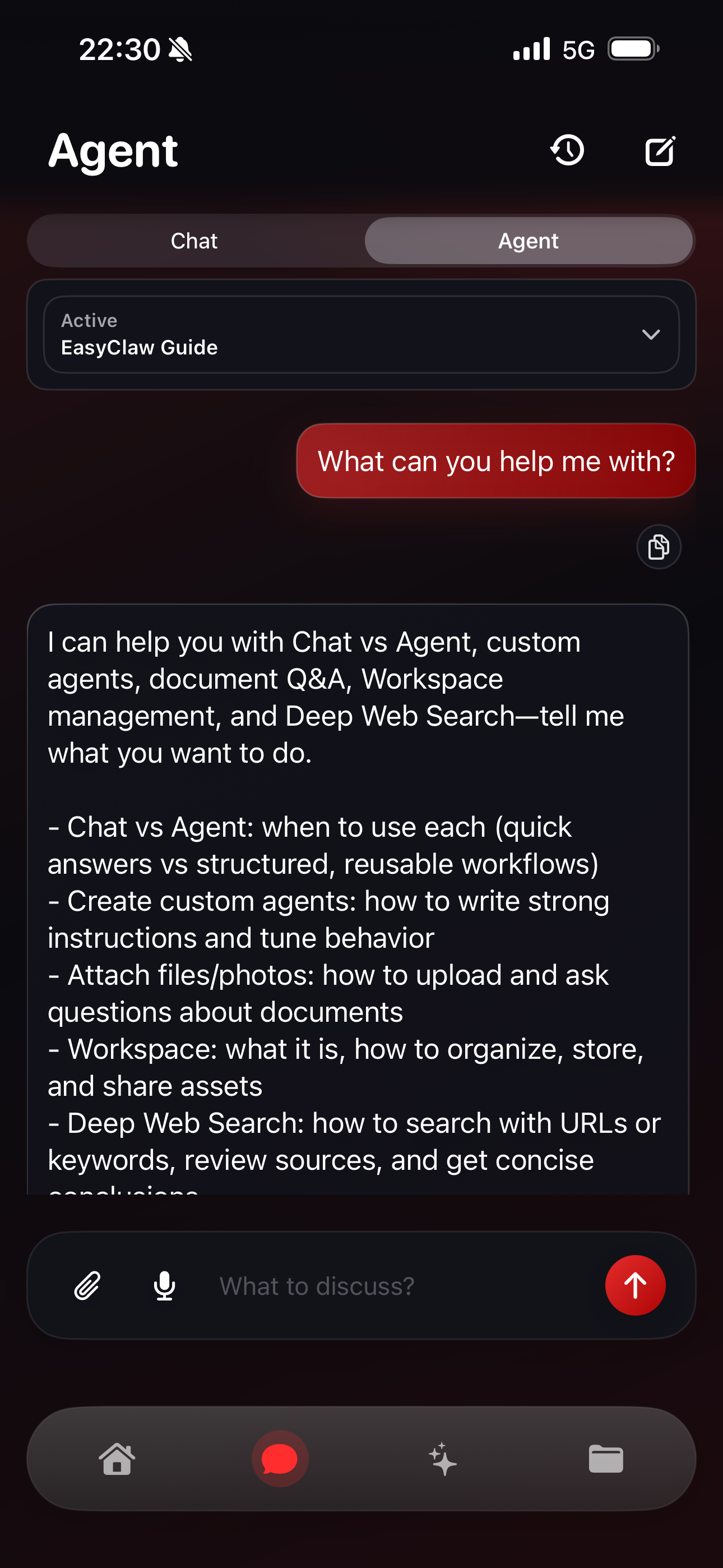
Run, pause, and monitor workflows from Agent Mode so you can keep execution on track.
OpenClaw client for iOS
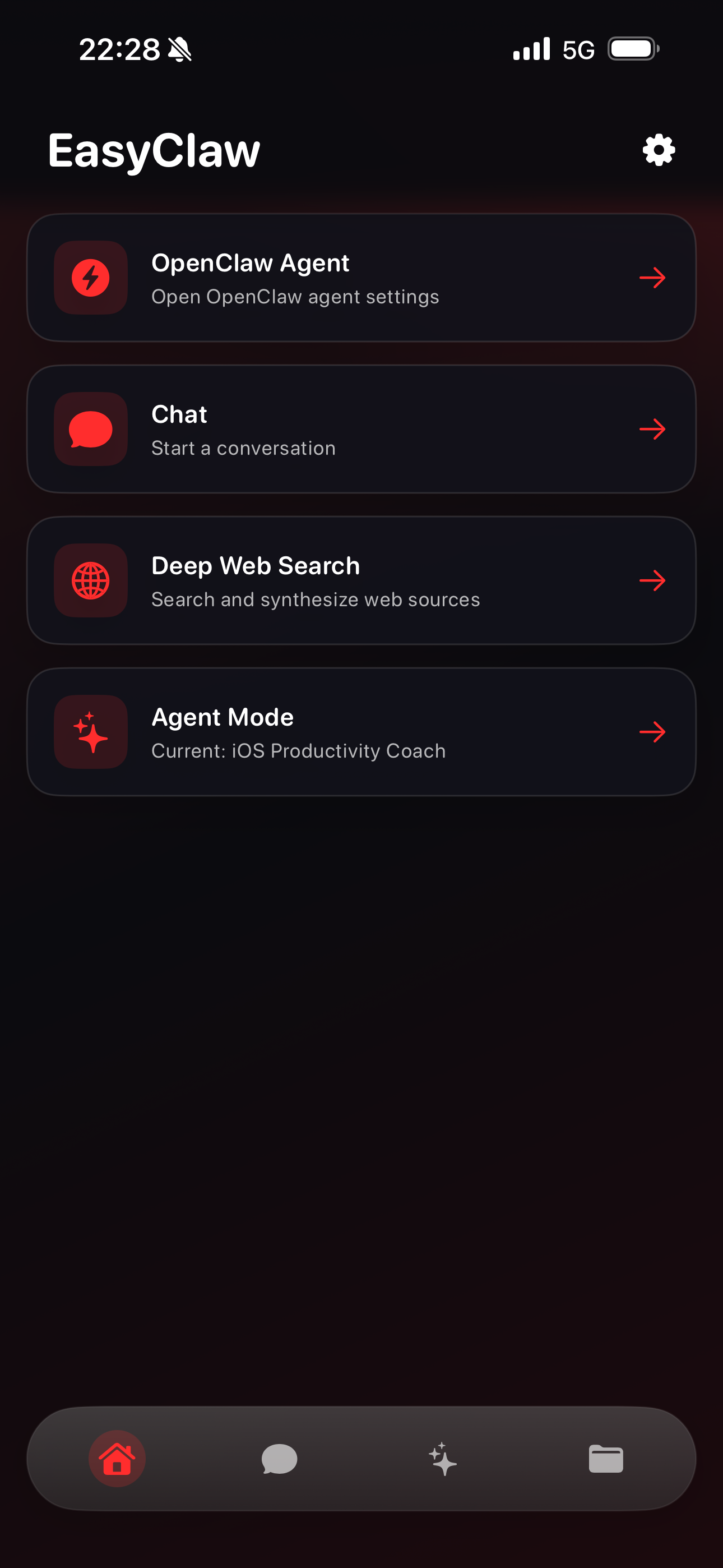
EasyClaw is a professional mobile control surface for AI agents. Connect to your OpenClaw setup, configure custom agent behavior, run Deep Web Search, and manage documents in one workspace.
Built for
Features
EasyClaw maps directly to real OpenClaw workflows: provider selection, custom agents, deep search, workspace files, and execution monitoring.
Run, pause, and monitor workflows from Agent Mode so you can keep execution on track.
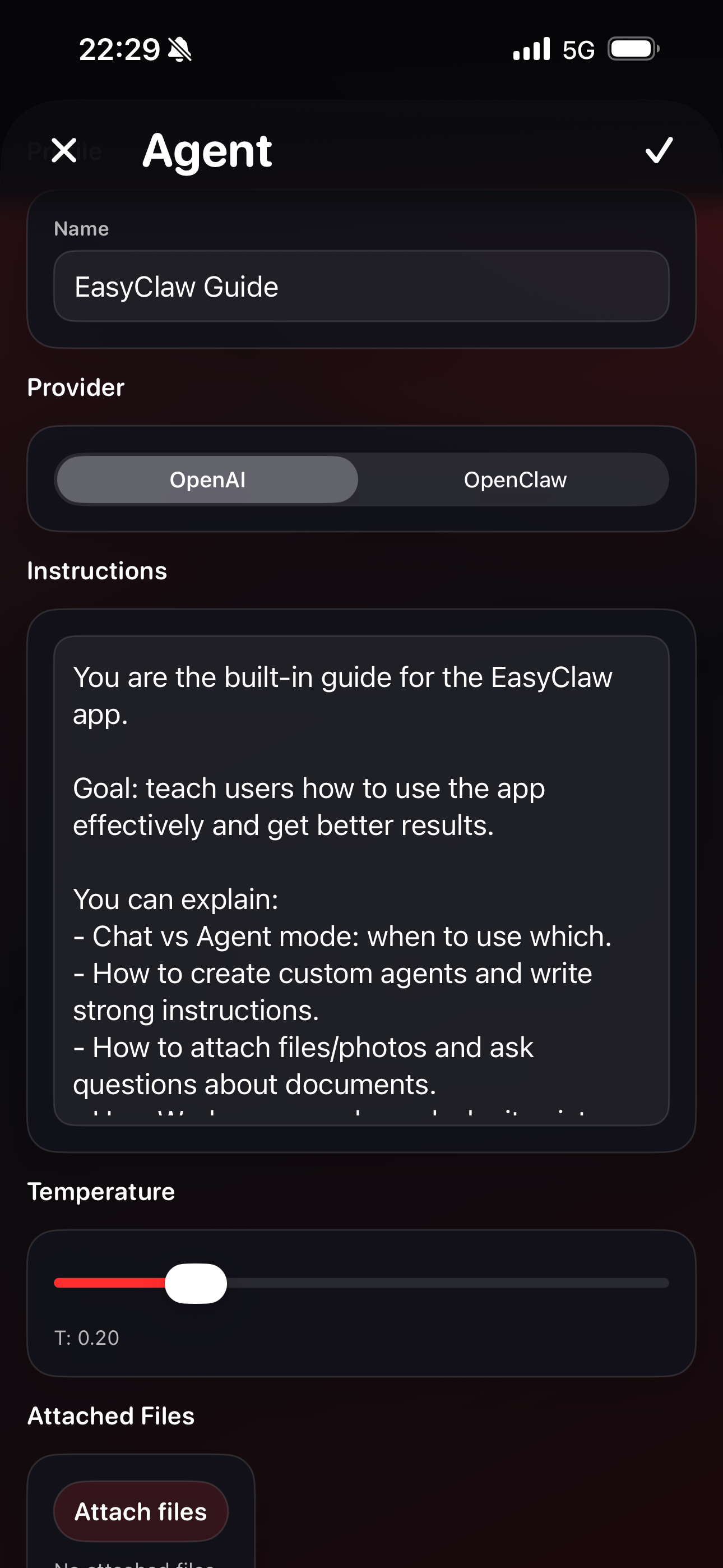
Create agent profiles with provider selection, custom instructions, temperature tuning, and file attachments.
Search and synthesize public web sources directly inside your workflow for faster decision support.
Attach PDFs, images, and text files for analysis, summarization, extraction, and follow-up actions.
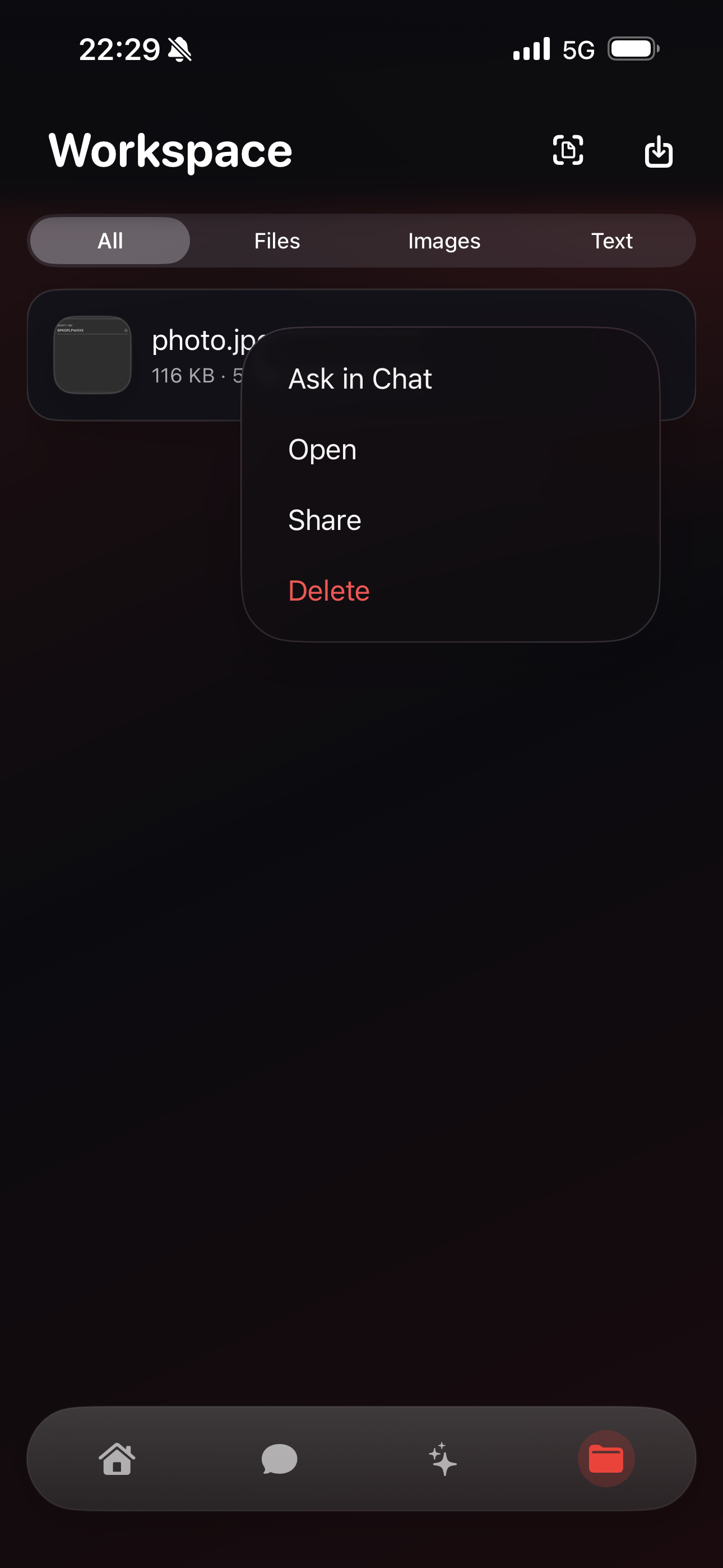
Organize files by type and send them to Chat in one tap with Open, Share, and Delete controls.
Connect to your own OpenClaw infrastructure, whether local, remote, or fully self-managed.
How it works
Connect your infrastructure, shape the agent, then run and supervise from a single mobile interface.
Step 1
Choose your provider in OpenClaw Agent settings: OpenClaw or OpenAI, and set your endpoints and keys.
Step 2
Define instructions, tune temperature, attach files, and set up the exact behavior you need.
Step 3
Start Agent Mode, monitor execution, and iterate quickly through Chat, Search, and Workspace.
Screenshots
Interface examples cover OpenClaw Agent settings, chat execution, deep web search, and workspace file management.
Security and Privacy
EasyClaw is designed with a privacy-first architecture. You choose where to connect, which provider to use, and how your keys and data are handled in your environment.
FAQ
Need a custom deployment discussion? Use the Contact page and we can share implementation guidance.
Get started
Install EasyClaw, connect your OpenClaw environment, and move from prompting to real agent operations.